Table of Contents
Advanced CAD Modeling and Simulation: A Comprehensive Guide
In today’s rapidly evolving engineering landscape, combining advanced computer-aided design (CAD) modeling with integrated simulation tools has become essential rather than optional. Organizations that master both the technical process and strategic benefits of these integrated workflows gain significant competitive advantages—delivering better products faster, reducing development costs, and innovating more effectively than competitors relying on traditional design-build-test cycles.
The integration of CAD and simulation represents a fundamental transformation in how products are conceived, developed, and refined. Rather than designing components, building physical prototypes, testing them, discovering flaws, and repeating this expensive cycle, modern engineering teams can virtually test countless design variations before committing resources to physical manufacturing. This shift from physical to digital validation accelerates innovation while simultaneously improving product quality and reducing time-to-market.
This comprehensive guide explores advanced CAD modeling techniques, simulation methodologies, integration strategies, best practices, and emerging trends that are reshaping engineering and product development across industries. Whether you’re an experienced mechanical engineer seeking to enhance your simulation capabilities, a design team leader implementing new CAD workflows, or a manager evaluating investment in advanced engineering tools, understanding CAD simulation integration is crucial for remaining competitive in modern product development.
What Is Advanced CAD Modeling?
Advanced CAD modeling is the sophisticated digital process of creating, modifying, analyzing, and optimizing three-dimensional representations of parts, assemblies, systems, or entire products using specialized software. It extends far beyond the basic 2D drafting that characterized early computer-aided design, incorporating complex geometric capabilities, intelligent design intent capture, and seamless integration with downstream manufacturing and analysis processes.
Modern advanced CAD goes well beyond simple sketching and extruding operations by introducing powerful capabilities that dramatically enhance design efficiency and flexibility:
Parametric Modeling: This foundational approach captures design intent by establishing mathematical relationships between features, dimensions, and constraints. When you change a parameter—like increasing a shaft diameter—all related features automatically update: holes reposition, mating parts adjust, assemblies reconfigure. Parametric modeling enables rapid design iteration by allowing engineers to explore design variations through parameter changes rather than recreating geometry from scratch.
Feature-Based Design: Rather than working with primitive geometric shapes, feature-based modeling uses engineering-meaningful operations like holes, fillets, ribs, and bosses that correspond to actual manufacturing processes and design intent. Features maintain their identity throughout the design process, enabling downstream applications to recognize and work with design intent rather than just geometric surfaces.
Surface and Solid Modeling Integration: Advanced CAD seamlessly blends precise solid modeling for mechanical components with sophisticated surface modeling for complex aesthetic shapes, organic forms, and aerodynamic contours. This hybrid approach enables everything from consumer electronics with flowing organic exteriors to aerospace components requiring both sculptural efficiency and precise mechanical interfaces.
Assembly Modeling and Management: Creating and managing complex assemblies with thousands or even millions of components requires sophisticated tools for managing relationships, detecting interferences, simulating motion, and maintaining performance with large datasets. Top-down and bottom-up assembly strategies enable concurrent engineering where multiple designers work simultaneously on different assembly portions.
Generative Design Integration: AI-driven generative design tools work within CAD environments to automatically explore thousands of design alternatives based on specified constraints, loads, materials, and manufacturing methods. The software proposes optimized geometries that human designers might never conceive, often resulting in organic, biomimetic forms that achieve superior performance with less material.
Product Data Management (PDM) Integration: Advanced CAD systems connect seamlessly with PDM and product lifecycle management (PLM) platforms that manage design data, track revisions, control access, maintain bills of materials, and coordinate collaboration across distributed teams. This integration ensures design integrity and enables effective concurrent engineering.
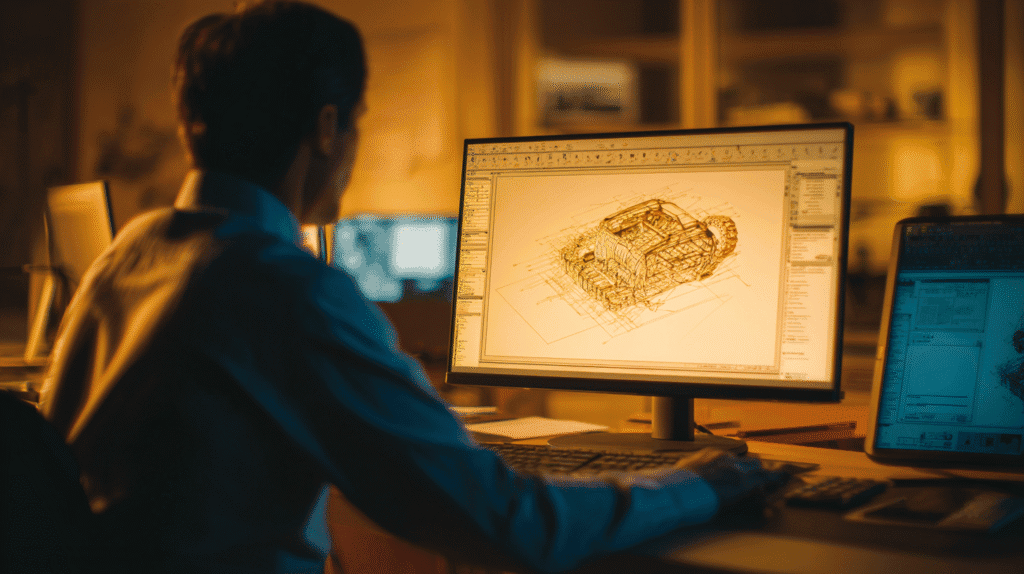
Manufacturing Integration: Direct connections between CAD and computer-aided manufacturing (CAM) systems enable automated toolpath generation, manufacturing simulation, and design for manufacturability (DFM) analysis. This CAD-CAM integration reduces translation errors and accelerates the path from digital design to physical parts.
The sophistication of modern CAD modeling enables engineers to capture complete design intent—not just geometry but the engineering reasoning, constraints, and relationships that define why designs work as they do. This captured intelligence becomes invaluable during design changes, derivatives, and optimization, allowing modifications that automatically propagate through complex designs while maintaining design intent.
Understanding CAD Simulation and Computer-Aided Engineering (CAE)
Simulation, also known as computer-aided engineering (CAE), involves virtually testing CAD models under realistic operating conditions—including mechanical stress, thermal loads, vibration, fluid flow, electromagnetic fields, and multiphysics interactions—to predict product performance before physical manufacturing. This digital testing revolution has fundamentally transformed product development by enabling engineers to identify and resolve potential failures during the design phase when changes are inexpensive rather than after manufacturing when modifications become prohibitively costly.
Types of Engineering Simulation
Modern CAE encompasses diverse simulation disciplines, each addressing specific physical phenomena:
Finite Element Analysis (FEA): Perhaps the most widely used simulation method, FEA predicts structural behavior under mechanical and thermal loads by dividing complex geometries into millions of small elements, solving governing equations for each element, and assembling results to understand overall behavior. FEA applications include:
- Linear static stress analysis calculating deformation and stress under constant loads
- Nonlinear analysis accounting for material plasticity, large deformations, and contact between components
- Modal analysis determining natural frequencies and vibration modes
- Transient dynamic analysis simulating time-varying loads like impacts, earthquakes, or operational cycles
- Fatigue analysis predicting component lifespan under cyclic loading
- Thermal stress analysis evaluating thermal expansion effects and temperature-induced stresses
Computational Fluid Dynamics (CFD): CFD simulates fluid flow—liquids, gases, or multiphase flows—providing insights into aerodynamics, hydrodynamics, heat transfer, and mixing. Applications span aerospace aerodynamics, automotive cooling systems, HVAC design, chemical processing, and biomedical device performance. CFD reveals pressure distributions, velocity fields, turbulence characteristics, and thermal behavior that would be difficult or impossible to measure experimentally.
Multibody Dynamics (MBD): Also called mechanism simulation, MBD analyzes systems with multiple moving parts connected by joints, springs, dampers, and actuators. Engineers use MBD to optimize suspension systems, robotic manipulators, conveyor systems, and any mechanical system where relative motion between components is critical. MBD predicts forces, accelerations, and motion paths, enabling optimization before physical prototyping.
Electromagnetics Simulation: Specialized tools analyze electromagnetic fields, antenna performance, signal integrity, electromagnetic interference (EMI), and electromagnetic compatibility (EMC). These simulations are critical for electronics design, wireless communications, electric motor optimization, and electromagnetic shielding.
Injection Molding Simulation: Plastic injection molding analysis predicts material flow, cooling patterns, warpage, sink marks, and potential defects. This specialized simulation optimizes gate locations, runner systems, cooling channels, and process parameters before expensive mold fabrication, dramatically reducing mold trials and part defects.
Additive Manufacturing Simulation: As 3D printing moves from prototyping to production, simulation predicts thermal distortion, residual stress, support structure requirements, and potential build failures. This enables first-time-right builds and optimal part orientation.
Multiphysics Simulation: Real-world products often experience coupled physical phenomena—thermal expansion affecting structural behavior, fluid flow inducing vibrations, electromagnetic forces creating mechanical motion. Multiphysics simulation solves these coupled problems simultaneously, capturing interactions that single-physics analyses miss.
The Power of Integrated CAD-CAE Workflows
The transformative potential of simulation is fully realized when CAD and CAE tools are deeply integrated rather than operating as separate, disconnected applications. Integrated workflows eliminate error-prone data translation, maintain associativity between geometry and analysis, and enable seamless iteration between design and validation.
Benefits of CAD-CAE integration include:
Geometric Associativity: When CAD geometry updates, associated simulations automatically recognize changes and can be re-executed with minimal manual intervention. This associativity ensures analyses remain current as designs evolve and dramatically reduces manual rework.
Reduced Data Translation Errors: Separate CAD and CAE tools require exporting geometry from CAD, importing into simulation software, and manually recreating features and relationships. Each translation introduces potential errors and loss of design intent. Integrated environments eliminate these translation steps, working directly with native CAD geometry.
Faster Design Iteration: When simulation results indicate necessary design changes, engineers can immediately modify CAD geometry, rerun analyses, and evaluate improvements—all within a unified environment. This rapid iteration cycle accelerates optimization and enables exploring more design alternatives.
Improved Accuracy: Integrated systems maintain complete geometric fidelity, properly transfer material properties and other metadata, and ensure consistency between design and analysis assumptions. This eliminates discrepancies that arise when different tools interpret geometry differently.
Enhanced Collaboration: Unified CAD-CAE environments enable designers and analysts to work with shared models, common terminology, and consistent data, reducing communication gaps and ensuring everyone works from identical design representations.
Lower Learning Curve: While deep simulation expertise remains valuable, integrated CAD-CAE tools with embedded analysis capabilities enable design engineers to perform basic simulations without specialized analyst training, democratizing simulation and shifting validation earlier in the design process.
The Compelling Benefits of Integrated CAD and Simulation
Organizations implementing advanced CAD modeling with integrated simulation realize substantial, measurable benefits across multiple dimensions:
Cost Reduction and Accelerated Development
Reducing physical prototyping represents one of the most significant cost savings. Physical prototypes are expensive—requiring materials, manufacturing time, tooling, testing equipment, and facilities. Each design iteration requiring a new prototype multiplies these costs. Simulation enables virtual testing of hundreds of design variations for a fraction of the cost of a single physical prototype.
Beyond direct prototype costs, simulation reduces expensive late-stage design changes. Discovering that a component fails stress requirements after tooling is manufactured might require scrapping tools worth hundreds of thousands of dollars and delaying product launch by months. Identifying the same issue through simulation during design enables simple geometry modifications implemented in hours rather than weeks of retooling.
Development cycle time compression provides competitive advantages beyond cost savings. Products reaching market faster capture more revenue, respond to competitive threats more effectively, and incorporate more current technology. Simulation-driven design acceleration can reduce development cycles by 30-50%, transforming market positioning.
Enhanced Product Quality and Performance
Simulation enables rigorous virtual testing that would be impractical physically. Engineers can evaluate designs under extreme conditions, rare edge cases, and failure scenarios that would destroy physical prototypes. This comprehensive testing identifies vulnerabilities and enables optimization across operating ranges, resulting in more robust products.
Material exploration and optimization become practical through simulation. Testing dozens of material candidates, composite layup configurations, or manufacturing process variations would be prohibitively expensive physically. Virtually, engineers can systematically evaluate alternatives, identifying optimal combinations of performance, cost, weight, and manufacturability that would be impossible to discover through physical trial and error.
Simulation enables optimization impossible through physical testing. Engineers can automatically search vast design spaces—adjusting dimensions, topologies, materials—to identify configurations optimizing multiple objectives simultaneously. Genetic algorithms, gradient-based optimization, and machine learning guide this exploration, converging on solutions superior to human intuition alone.
Improved Precision and Confidence
Modern simulation provides quantitative predictions engineers can trust to make critical decisions. Properly validated simulation models achieve accuracy within 5-10% of physical testing for many applications—sufficient precision for design decision-making while being vastly faster and less expensive than physical validation.
Sensitivity analysis and uncertainty quantification reveal how design performance varies with manufacturing tolerances, material property variations, and operating condition uncertainties. Understanding these sensitivities enables robust design that performs acceptably despite real-world variability rather than optimizing for nominal conditions that may rarely occur.
Virtual testing provides insights impossible to measure physically. While physical testing might measure surface strains at specific locations, simulation reveals complete three-dimensional stress distributions throughout components. CFD shows detailed flow patterns inside complex passages inaccessible to measurement. This complete field information enables understanding root causes and identifying optimal improvements.
Enhanced Collaboration and Decision-Making
Digital models and simulation results provide objective, quantifiable basis for design decisions, replacing intuition, opinion, and politics with data. When competing design approaches are evaluated through simulation, performance differences become clear, enabling evidence-based decisions.
Shared digital environments enable distributed teams to collaborate effectively. Engineers in different locations, time zones, or organizations can work with common CAD models and simulation results, maintaining design consistency and avoiding the miscommunication that plagues teams working from different design versions or conflicting specifications.
Simulation results communicate effectively across organizational boundaries. Rather than explaining design intent and expected performance through text descriptions, engineers can show stress distributions, animated flow patterns, or thermal responses that clearly convey complex technical information to manufacturing, quality, purchasing, and management stakeholders.
Strategic Advantages and Future-Readiness
Organizations mastering advanced CAD and simulation develop institutional knowledge and capabilities that become strategic differentiators. Validated simulation methods become proprietary tools enabling faster, better design than competitors. Libraries of material properties, design best practices, and proven simulation workflows accumulate as organizational assets.
Integration with emerging technologies positions organizations for future innovation. AI-driven generative design requires simulation to evaluate automatically generated alternatives. Digital twins connecting physical products with virtual models rely on simulation to predict future behavior and recommend maintenance. Adopting integrated CAD-simulation workflows today prepares organizations for tomorrow’s technologies.
Regulatory compliance and risk management increasingly require simulation documentation. Industries like aerospace, medical devices, and automotive increasingly accept simulation results for certification and approval, potentially replacing or supplementing physical testing. Establishing validated simulation capabilities positions organizations to leverage these regulatory pathways.
The Integrated CAD-Simulation Workflow: From Concept to Validation
Successful implementation of advanced CAD modeling and simulation follows systematic workflows that ensure accuracy, efficiency, and reliable results:
Phase 1: Conceptual Modeling and Design Intent
The workflow begins with creating initial 3D geometry that captures design intent and establishes the parametric structure enabling future optimization. This conceptual phase establishes the design’s fundamental architecture:
Defining Design Space: Engineers identify the volume available for the component or system, locate interface points with surrounding parts, establish coordinate systems, and define key reference geometry. Clear design space definition prevents downstream conflicts and ensures components fit within assemblies.
Establishing Parametric Relationships: Critical dimensions, spacing, and geometric relationships are defined parametrically rather than as fixed values. Parameters might include overall length, wall thickness, hole patterns, radii, and clearances. These parameters become variables during optimization, enabling rapid design exploration.
Creating Base Geometry: Engineers develop initial geometry representing the design concept. This early geometry balances simplicity for rapid iteration against sufficient detail for meaningful analysis. Overly detailed initial models slow early iterations, while overly simplified models miss critical design aspects.
Capturing Design Intent: Proper feature organization, meaningful parameter names, and documentation within the CAD model preserve the reasoning behind design decisions. This captured intent ensures future modifications maintain design goals and helps others understand the design.
Phase 2: Detailed Design Development
Once the basic concept is established, engineers develop detailed geometry incorporating manufacturing considerations, assembly requirements, and functional features:
Adding Manufacturing Features: Holes for fasteners, bosses for mounting, ribs for reinforcement, chamfers for ease of assembly, and surface finishes are incorporated. Design for manufacturability (DFM) principles guide these additions, ensuring designs can be economically produced.
Material Selection: Engineers specify materials for each component based on mechanical properties, environmental resistance, cost, weight, availability, and manufacturing compatibility. Material databases within CAD systems provide standardized properties for common materials, while custom materials can be defined for specialized applications.
Tolerance Analysis: As detailed geometry develops, engineers analyze tolerances using tolerance stack-up analysis to ensure assemblies function properly despite manufacturing variations. Geometric dimensioning and tolerancing (GD&T) formally specifies allowable variations.
Assembly Constraints: Mates, joints, and assembly relationships define how components fit together, establishing the kinematic structure for motion simulation and ensuring proper alignment for stress analysis.
Phase 3: Simulation Preparation and Setup
Preparing CAD models for simulation requires defining boundary conditions, loads, constraints, and analysis parameters that represent real-world operating conditions:
Geometry Simplification: CAD models typically contain details irrelevant to simulation—small fillets, text, surface details—that unnecessarily complicate analysis without affecting results. Defeaturing removes these details, reducing computational cost while maintaining accuracy. However, engineers must carefully distinguish truly irrelevant details from features affecting results.
Material Property Assignment: Beyond basic material selection, simulation requires complete material properties—elastic modulus, Poisson’s ratio, density, thermal conductivity, specific heat, coefficient of thermal expansion, and potentially nonlinear stress-strain curves or temperature-dependent properties. Accurate material properties are fundamental to simulation accuracy.
Load Definition: Engineers specify forces, pressures, accelerations, thermal conditions, and other loads representing operating conditions. This might include static loads, time-varying loads, frequency-dependent harmonic loads, or transient events. Load definition requires deep understanding of actual product usage and may involve measurements or estimates based on similar products.
Boundary Condition Specification: Constraints and supports representing how components are mounted or constrained must be carefully defined. Overly constrained models produce artificially stiff responses, while underconstrained models may exhibit unrealistic deformations. Realistic boundary conditions capturing actual mounting and constraint conditions are critical for accurate results.
Meshing: Finite element and CFD analyses require dividing geometry into discrete elements or volumes. Mesh quality—element size, shape, and distribution—dramatically affects both accuracy and computational cost. Finer meshes provide more accurate results but require more computation time. Engineers balance accuracy requirements against available computational resources, typically using locally refined meshes in high-stress regions while coarsening mesh elsewhere.
Phase 4: Simulation Execution and Solution
With proper setup complete, engineers execute simulations, monitor solution convergence, and ensure results are reliable:
Solver Selection: Different analysis types require different solution algorithms. Linear static analyses use direct or iterative matrix solvers, nonlinear analyses employ Newton-Raphson iterations, CFD uses pressure-velocity coupling algorithms, and dynamic analyses apply time integration schemes. Understanding solver characteristics enables appropriate selection for specific problems.
Convergence Monitoring: As iterative solvers progress toward solutions, engineers monitor convergence metrics ensuring solutions stabilize. Unconverged solutions indicate problems requiring attention—inadequate mesh refinement, overly distorted elements, numerical instabilities, or fundamental modeling errors. Convergence assessment is critical for result reliability.
Computational Resource Management: Large simulations may require hours or days of computation on high-performance computing clusters. Engineers must estimate computational requirements, allocate adequate resources, and implement checkpointing enabling recovery from interruptions. Cloud-based simulation increasingly provides on-demand computational resources for peak requirements.
Parallel Processing: Modern simulation software leverages multiple processors or compute nodes, dramatically reducing solution time for large problems. Proper parallel processing setup maximizes efficiency while avoiding communication overhead that can negate benefits of additional processors.
Phase 5: Results Analysis and Design Optimization
Simulation generates vast amounts of data requiring systematic analysis to extract actionable insights and guide design improvements:
Post-Processing and Visualization: Engineers create contour plots showing stress distributions, vector plots illustrating flow patterns, animations depicting vibration modes, and graphs presenting time histories. Effective visualization reveals patterns and insights that would remain hidden in raw numerical data.
Results Validation: Experienced engineers perform sanity checks ensuring results are physically reasonable—checking that reactions balance applied loads, deformations occur in expected directions, maximum stresses occur in expected locations, and result magnitudes are plausible. Implausible results indicate modeling errors requiring investigation before accepting results as valid.
Critical Location Identification: Engineers identify maximum stress locations, minimum safety factors, regions of excessive deformation, areas of flow separation, hot spots, or other critical conditions requiring attention. Automated search tools identify maximum and minimum values throughout models.
Safety Factor Calculation: Comparing predicted stresses or other responses against allowable limits yields safety factors indicating design margin. Consistent safety factors appropriate for application, uncertainty, and consequences of failure guide design adequacy assessment.
Design Optimization: When initial designs don’t meet requirements or opportunities exist for improvement, engineers iterate. Parametric CAD models enable rapid geometry modifications, while integrated workflows allow quickly rerunning simulations with updated geometry. Formal optimization algorithms can automatically search design spaces, adjusting parameters to maximize or minimize objectives while satisfying constraints.
Sensitivity Analysis: Systematically varying design parameters or operating conditions reveals which factors most strongly influence performance. Understanding sensitivities guides optimization efforts toward most impactful changes and identifies parameters requiring tight control during manufacturing.
Phase 6: Design Validation and Manufacturing Transition
Once virtual testing confirms design adequacy, engineers finalize designs and transition to physical validation and manufacturing:
Technical Drawing Generation: CAD systems automatically generate 2D manufacturing drawings from 3D models, ensuring consistency between design models and manufacturing documentation. GD&T annotations formally specify tolerances and inspection requirements.
Bill of Materials (BOM) Generation: Integrated CAD-PDM systems automatically compile BOMs listing all components, materials, quantities, and procurement specifications needed for manufacturing.
Digital Twin Creation: For complex products requiring ongoing performance monitoring, engineers create digital twins—virtual replicas receiving data from physical products and using simulation to predict future behavior, optimize operations, and recommend maintenance. Digital twins connect design, manufacturing, and operation in integrated lifecycle management.
Physical Prototype Testing: Despite simulation’s power, physical testing remains important for validation. Engineers compare measured prototype performance against simulation predictions, using discrepancies to improve simulation models through model updating and validation. Validated simulation models become trusted tools for future designs.
Design Transfer to Manufacturing: Finalized CAD models, simulation results documenting design rationale, technical drawings, inspection plans, and manufacturing specifications are formally transferred to production, ensuring manufacturing receives complete, validated designs.
Best Practices for Successful CAD-Simulation Integration
Organizations maximizing return on CAD and simulation investments follow proven best practices while avoiding common pitfalls:
Start Simulation Early in the Design Process
Simulation provides maximum value when integrated throughout the design process rather than applied only at the end for validation. Early simulation with simplified models guides conceptual decisions and identifies fundamental issues when modifications are trivial. As designs mature, simulation sophistication increases, providing progressively more accurate predictions.
Late-stage simulation, while better than no simulation, functions primarily as design verification rather than design guidance. By the time late-stage problems are discovered, design freedom is constrained, changes are expensive, and schedules are compressed. Front-loading simulation into early design phases maximizes impact.
Conceptual simulation tools with streamlined workflows enable designers to quickly evaluate alternatives without simulation specialists, democratizing analysis and accelerating decision-making. As promising concepts emerge, more detailed analysis by simulation experts refines predictions.
Maintain Clean, Properly Structured CAD Models
CAD model quality directly impacts simulation success. Poorly constructed models with gaps, overlaps, sliver surfaces, or ambiguous topology create meshing difficulties, solution failures, and questionable results. Best practices include:
Solid Modeling Discipline: Ensuring all solid bodies are manifold (no open edges), properly closed, and represent physically realizable geometry prevents meshing failures and nonphysical results.
Proper Feature Organization: Logical feature ordering, meaningful feature names, and well-organized feature trees facilitate model understanding and modification. Poor organization makes models difficult to modify and simulation setups difficult to update.
Parametric Best Practices: Stable parametric relationships that don’t fail when dimensions change enable robust optimization. Overly complex constraints or circular references create fragile models that fail during parameter studies.
Geometry Preparation for Simulation: Creating simplified configurations specifically for simulation—with small details removed, perfect symmetry enforced, and unnecessary complexity eliminated—balances accuracy against computational efficiency.
Balance Mesh Quality with Computational Cost
Mesh refinement represents a fundamental trade-off: finer meshes provide more accurate results but require more computational time and memory. Optimal meshes concentrate refinement where needed while coarsening elsewhere:
Adaptive Meshing: Automated mesh refinement identifies regions requiring finer discretization based on solution gradients, progressively refining mesh and re-solving until convergence criteria are met. Adaptive meshing achieves accuracy efficiently by placing elements only where needed.
Mesh Convergence Studies: Engineers systematically refine meshes and compare results, identifying when further refinement negligibly changes results. This establishes minimum mesh density required for accuracy, avoiding both overrefinement and underrefinement.
Element Quality Metrics: High aspect ratios, severe distortion, and poor element shapes degrade accuracy and cause solution difficulties. Monitoring element quality metrics ensures meshes meet quality standards for reliable results.
Localized Refinement: Concentrating fine elements near stress concentrations, flow features, thermal gradients, or other areas of interest while using coarser elements in regions with gradual variations optimizes computational efficiency.
Document Simulation Assumptions and Results
Comprehensive documentation ensures simulation results remain useful beyond immediate applications and enables validation, replication, and regulatory acceptance:
Assumption Documentation: Recording load definitions, boundary conditions, material properties, analysis type, and modeling simplifications provides context for interpreting results and identifies when results remain applicable as designs evolve or new applications emerge.
Results Archival: Storing complete simulation results—geometry, mesh, loads, constraints, material properties, solution data—enables future reference and reanalysis if questions arise. Inadequate archival forces repeating analyses when questions arise months or years later.
Validation Evidence: Documenting correlation between simulation predictions and physical test results establishes credibility and identifies simulation accuracy for different applications, building confidence in simulation-based decisions.
Design Rationale Recording: Capturing why designs look as they do—which simulation results drove which design decisions—preserves institutional knowledge and helps future engineers understand design reasoning.
Foster Collaboration Between Designers and Analysts
Organizations with productive designer-analyst collaboration achieve better results faster than those where designers and analysts work in isolation:
Integrated Teams: Co-locating designers and analysts or establishing regular collaboration sessions ensures simulation results inform design decisions and designers communicate design intent to analysts. Physical or virtual proximity facilitates the frequent interaction required for effective collaboration.
Shared Language: Training designers in basic simulation concepts and training analysts in design constraints creates shared understanding, reducing miscommunication and enabling more productive dialogue.
Tool Democratization: Providing designers with simplified simulation tools for routine analyses reserves specialist time for complex problems while enabling rapid design iteration. Democratization doesn’t eliminate specialists but changes their role toward developing methods, validating critical designs, and supporting designer questions.
Cross-Training: Rotating engineers between design and analysis roles or providing simulation training for designers and CAD training for analysts builds appreciation for each discipline’s challenges and opportunities.
Common Pitfalls and How to Avoid Them
Even experienced engineering organizations encounter challenges implementing advanced CAD and simulation. Awareness of common pitfalls enables proactive avoidance:
Inappropriate Simulation Complexity
Using overly sophisticated simulation for simple problems wastes resources, while oversimplified analysis of complex phenomena produces unreliable results. Matching simulation sophistication to problem complexity optimizes resources:
For preliminary design, simple hand calculations or simplified simulations provide adequate accuracy for concept selection. As designs mature, more sophisticated analysis refines predictions. Reserving highest-fidelity simulation for final validation or critical design aspects balances accuracy against efficiency.
Engineers should understand when nonlinear analysis is necessary versus when linear approximations suffice, when CFD is required versus when simple heat transfer calculations work, and when dynamic analysis is needed versus when static analysis is adequate.
Inadequate Validation
Accepting simulation results without validation creates risk of basing decisions on inaccurate predictions. Validation strategies include:
Benchmark Problems: Solving problems with known analytical or experimental solutions verifies software implementation and user competence before applying tools to real problems.
Physical Testing: Comparing predictions against measurements from prototypes or production parts identifies systematic errors and calibrates models. Even limited testing of critical parameters builds confidence in simulation accuracy.
Cross-Validation: Having multiple engineers independently analyze the same problem using different tools or approaches identifies discrepancies indicating modeling errors or software issues.
Expert Review: Having experienced engineers review simulation setups and results before making critical decisions catches errors and identifies questionable assumptions.
Overlooking Boundary Condition Sensitivities
Real-world boundary conditions—how parts are mounted, constrained, or loaded—often differ from idealized assumptions in simulation. Results can be highly sensitive to boundary condition details:
Engineers should investigate boundary condition sensitivity by testing variations—slightly different constraint locations, load distributions, or support conditions—to understand result robustness. Designs that perform adequately across reasonable boundary condition variations prove more robust than those optimized for idealized but potentially unrealistic conditions.
Ignoring Manufacturing and Assembly Considerations
Designs that simulate well but can’t be manufactured or assembled economically represent simulation failures. Successful simulation-driven design maintains manufacturability awareness:
Design for Manufacturing (DFM) Guidelines: Following DFM principles for casting, machining, molding, or additive manufacturing ensures simulated designs can be physically produced without expensive modifications or custom tooling.
Tolerance Analysis: Verifying that assemblies function properly despite manufacturing tolerances prevents designs that work perfectly with nominal dimensions but fail with real parts exhibiting normal variation.
Assembly Simulation: Testing assembly sequences virtually identifies interference, excessive force requirements, or accessibility issues before physical prototypes reveal assembly difficulties.
Emerging Trends Reshaping CAD and Simulation
The engineering design landscape continues evolving rapidly, with several transformative trends reshaping how CAD modeling and simulation are practiced:
Generative Design and Artificial Intelligence
Generative design represents a paradigm shift where engineers specify design objectives, constraints, and manufacturing methods, then AI algorithms automatically explore thousands of design alternatives, proposing optimized solutions:
Generative algorithms use topology optimization, lattice structures, and biomimetic forms to achieve optimal strength-to-weight ratios, thermal performance, or other objectives. Results often feature organic, counterintuitive shapes that human designers wouldn’t conceive but perform better than traditional geometric forms.
AI extends beyond generative design to automate routine simulation tasks, predict failure modes before simulation, recommend optimal mesh settings, and identify design improvements from historical data. Machine learning models trained on previous simulations increasingly guide new analyses, reducing manual setup time and improving accuracy.
Integration challenges remain—generative designs may be difficult to manufacture with conventional methods, requiring design-for-additive-manufacturing (DFAM) approaches or hybrid manufacturing strategies combining traditional and additive processes.
Cloud-Based Simulation and Democratization
Cloud computing is fundamentally transforming simulation access and capabilities by providing on-demand high-performance computing resources and enabling real-time collaboration:
Engineers can execute simulations requiring hundreds of processor cores without local infrastructure investment, paying only for resources actually used. Cloud-based simulation eliminates computational bottlenecks that previously limited analysis scope or forced waiting days for local cluster availability.
Democratization through cloud-native, simplified simulation tools enables broader engineering teams to perform analyses previously requiring specialists. Web-based interfaces accessible from any device, automated setup, and built-in best practices lower barriers to simulation adoption.
Collaborative cloud platforms enable distributed teams to simultaneously work on shared models, review simulation results together in real-time, and maintain design synchronization regardless of physical location. Cloud collaboration proves particularly valuable for global enterprises and increasingly distributed workforces.
Security, data sovereignty, and intellectual property concerns require attention. Organizations must ensure cloud providers offer adequate security, comply with industry regulations, and maintain data privacy for proprietary designs.
Digital Twins and Product Lifecycle Integration
Digital twins—virtual replicas of physical products updated with operational data—represent the convergence of CAD, simulation, IoT sensors, and data analytics:
During operation, sensors on physical products measure performance, environmental conditions, usage patterns, and component health. This data flows to digital twin models that use simulation to predict future behavior, identify degradation, recommend maintenance, and optimize operations.
Digital twins enable predictive maintenance—identifying impending failures before they occur, scheduling maintenance when convenient rather than after breakdowns, and optimizing maintenance intervals based on actual usage rather than conservative schedules.
Performance optimization uses digital twins to continuously improve operations. Aircraft engines adjust operating parameters based on digital twin predictions maximizing fuel efficiency while maintaining required performance. Wind turbines optimize blade pitch based on digital twin aerodynamic models.
Creating effective digital twins requires validated simulation models, robust sensor networks, reliable data pipelines, and integration with operational technology (OT) systems—representing significant technical and organizational challenges.
Augmented and Virtual Reality Integration
AR and VR technologies enable immersive interaction with CAD models and simulation results, transforming design review, validation, and collaboration:
Virtual reality enables full-scale design review where engineers virtually inhabit and explore proposed products, identifying issues invisible in traditional screen-based CAD review. VR design review of vehicle interiors, cockpits, industrial equipment, or architecture reveals sight lines, reach limitations, and ergonomic issues before physical mockups.
Augmented reality overlays digital models and simulation results onto physical environments, enabling visualization of how designed products will appear and function in actual contexts. AR assists assembly by showing workers exactly where components belong, displays maintenance instructions superimposed on equipment, and enables remote expert support with annotated views of physical equipment.
Simulation results visualization in VR/AR helps stakeholders understand complex technical information. Seeing three-dimensional stress distributions, animated flow patterns, or thermal gradients immersively communicates technical information more effectively than static 2D plots, facilitating better decision-making and broader stakeholder engagement.
Multiphysics and Multiscale Simulation
Real-world products increasingly require analyzing coupled phenomena and multiple length scales simultaneously:
Multiphysics simulation solves thermomechanical, fluid-structure interaction, electromagnetics-thermal, or other coupled problems where physical phenomena interact. Electric motor design requires coupled electromagnetic, thermal, and structural analysis to optimize performance, predict operating temperatures, and ensure mechanical integrity under electromagnetic forces and thermal expansion.
Multiscale simulation connects atomic-scale material behavior with component-level performance, enabling material design and property prediction from first principles rather than relying solely on experimental measurements. Computational materials science increasingly informs material selection and development for specific applications.
System-level simulation integrates component analyses into full system models, capturing interactions between subsystems that component-level analyses miss. Whole-vehicle crash simulation has evolved from analyzing individual components to modeling complete vehicles including structural response, restraint system performance, and occupant dynamics simultaneously.
Additive Manufacturing Integration
3D printing’s evolution from prototyping to production manufacturing requires simulation adapted to additive processes:
Build simulation predicts thermal distortion during layer-by-layer deposition, identifying potential warpage, residual stress, and failure modes. Pre-build simulation enables optimizing part orientation, support structures, and process parameters before expensive build failures.
Topology optimization and lattice structure design specifically for additive manufacturing exploit the geometric freedom 3D printing provides, creating structures impossible with traditional manufacturing. Optimization for additive manufacturing considers anisotropic material properties resulting from build direction and support requirements unique to additive processes.
Materials qualification for additive manufacturing relies increasingly on simulation to predict as-built properties, reducing expensive experimental testing of numerous process parameter combinations. Process-structure-property relationships established through combined simulation and selective experiments enable rapid qualification of new materials and processes.
Implementation Strategies for Organizations
Successfully implementing advanced CAD and simulation capabilities requires systematic approaches addressing technology, people, and processes:
Technology Selection and Integration
Choosing appropriate CAD and simulation tools balances capabilities, integration, cost, and organizational fit:
Evaluate whether tightly integrated suites (like Dassault Systèmes CATIA/SIMULIA, Siemens NX/Simcenter, PTC Creo/Ansys integration) best serve needs, or whether best-of-breed tools connected through neutral formats and data exchange standards provide superior capabilities despite integration challenges.
Consider cloud versus on-premise deployment. Cloud offerings provide flexibility, eliminate infrastructure management, and enable rapid scaling, but may raise security concerns. Hybrid approaches often balance benefits and concerns.
Assess software vendor support, training availability, user community size, and industry adoption. Widely adopted tools benefit from extensive documentation, training resources, and community knowledge bases.
Skills Development and Training
Technology investments deliver value only when users possess necessary skills:
Structured training programs should cover fundamental concepts, software-specific workflows, and industry best practices. Combining formal courses with mentored projects accelerates learning more effectively than either approach alone.
Certification programs motivate learning and provide objective skill validation. Vendor certifications or industry credentials demonstrate competence to employers and clients.
Continuous learning mechanisms—lunch-and-learn sessions, internal knowledge bases, user group participation—maintain and advance skills as software evolves and best practices emerge.
Process Development and Standardization
Consistent processes ensure reliable outcomes and efficient workflows:
Standard modeling practices—naming conventions, feature organization, template usage, material property databases—reduce errors and facilitate collaboration. Documented standards accelerate new employee onboarding and ensure consistency across teams.
Simulation workflow documentation captures institutional knowledge, reducing reliance on individual experts and enabling process improvement. Templates and automated setup tools embody best practices and accelerate routine analyses.
Review and approval processes ensure critical simulations receive appropriate oversight. Peer review or supervisor approval requirements for safety-critical or high-visibility analyses catch errors before results drive important decisions.
Cultural Change Management
Technical tools succeed only when organizational culture embraces simulation-driven design:
Executive support and visible commitment to simulation investment signals organizational priority and ensures adequate resourcing. Leadership advocacy overcomes resistance and enables necessary process changes.
Success stories and case studies demonstrating simulation value—reduced development costs, avoided failures, accelerated time-to-market—build momentum and advocate for expanded adoption.
Acceptance that simulation-driven design requires different workflows, longer learning curves, and upfront time investment with delayed payoff helps manage expectations and sustain commitment through implementation challenges.
Conclusion: The Imperative of Advanced CAD and Simulation Integration
Advanced CAD modeling integrated with comprehensive simulation has evolved from competitive advantage to competitive necessity in modern product development. Organizations that master these technologies design better products faster, reduce development costs, accelerate time-to-market, and innovate more effectively than competitors relying on traditional design-build-test cycles.
The transformation from physical to virtual validation represents more than tool adoption—it requires rethinking design processes, developing new skills, and embracing data-driven decision-making. Success demands systematic integration of CAD and simulation throughout the product development lifecycle rather than treating simulation as optional design verification.
As technologies continue advancing—with AI-driven generative design, cloud-native simulation platforms, digital twins connecting virtual and physical products, and immersive AR/VR interfaces—the organizations that proactively adopt and master these innovations will define next-generation product development excellence.
The roadmap is clear: invest in integrated CAD-simulation tools, develop necessary skills through structured training, establish standardized processes embodying best practices, and cultivate organizational cultures embracing virtual validation. Organizations following this path will thrive in increasingly competitive, rapidly evolving markets, while those clinging to traditional approaches will find themselves perpetually catching up, unable to match the speed, quality, and innovation of simulation-driven competitors.
The future of engineering belongs to those who can imagine, model, simulate, optimize, and validate products entirely virtually before committing resources to physical manufacture. That future is not distant—it is now, and the imperative for action has never been clearer.
Additional Resources
For engineers and organizations seeking to deepen CAD and simulation expertise, several excellent resources provide valuable learning opportunities. Ansys Innovation Courses offers free online training covering finite element analysis, computational fluid dynamics, and multiphysics simulation fundamentals with hands-on tutorials using industry-standard software.
The American Society of Mechanical Engineers (ASME) provides professional development courses, conferences, and technical publications covering advanced CAD modeling, simulation best practices, and emerging technologies across mechanical engineering disciplines. Their verification and validation standards guide establishing reliable simulation practices for engineering applications.